
What a customer portal does
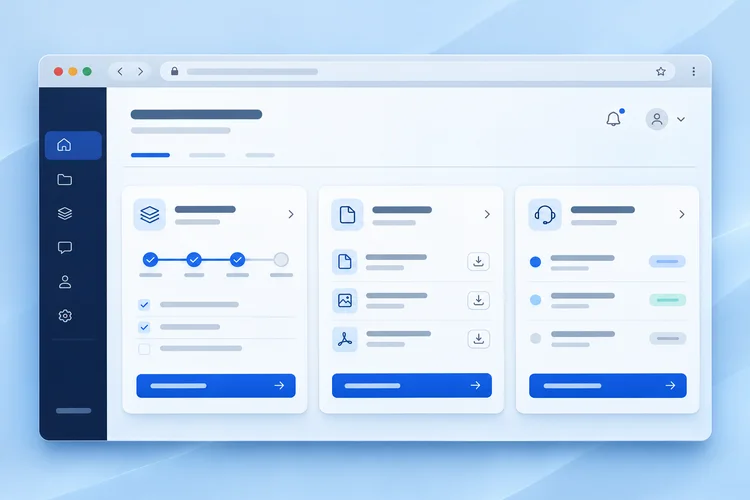
A customer portal is a part of your website or web app where customers sign in to access information and services relevant to them. Its contents depend on the relationship you have with your customers.
An agency might share project updates and files. A supplier might provide order information and documents. A service business might let customers submit requests and see their progress. The aim is to make a useful task easier to complete.
Identify what customers ask for repeatedly
Start with the questions your team answers most often. Customers may ask where to find a document, what stage a project has reached, or who is handling a request. Group these questions and decide which ones could be answered through a portal.
Look at the source of each answer. If a project status is currently held in a team member’s notebook, it needs a reliable updating process before it can become a useful customer-facing feature. A portal is only as helpful as the information behind it.
Choose a small set of useful features
For a first release, consider a simple account overview, relevant documents, current updates, and a request form. Each feature should support a task customers already need to complete.
Avoid making customers search through information that is not relevant to their account. Use clear labels, useful document names, and straightforward status descriptions. Make it easy to contact your team when the portal does not answer their question.
Design access around each customer account
Define which customers can see which records and files. Some customers may need several users with different roles. One person might manage the account while others only need to view documents or submit requests.
Include sign-in, account recovery, invitation expiry, and removing access in the design. The server should check permission for each protected record and download. Test access using accounts from different customers so information is correctly separated.
Decide how updates reach the portal
Your team may update information directly, or the portal may need to connect with an order system, CRM, or another application. Identify which system owns each piece of information and how quickly changes should appear.
Plan what customers see when an external system is unavailable or an update is delayed. Show a clear status and provide a contact route. Avoid presenting old information as current when your team cannot confirm it.
Make it easy to use on a phone
Ask customers to try everyday tasks on the devices they use. Can they find a file, read an update, and submit a request without zooming or navigating through several menus?
Pay attention to readable text, labelled form fields, keyboard access, and clear feedback after an action. A request confirmation should explain what was submitted and where the customer can find it again. Set response expectations that your team can maintain.
Prepare your team for launch
Assign responsibility for updating documents, responding to requests, and helping customers who cannot sign in. Agree how the portal fits alongside existing email and support channels.
Introduce it to a small customer group first and collect feedback. Track where people get stuck and which information they still request by email. Use those observations to improve the portal before adding more features.
Start with one customer task
A portal does not have to cover every part of your service at launch. Begin with one useful task, such as finding project documents or checking a request, and build a dependable experience around it.
Forioxx helps businesses plan and build customer portals around their customers’ needs. Tell us what your customers ask for most often, and we can discuss what a first version could include.
YOUR NEXT STEP
What would you like to build?
Share your idea and the workflow you want to improve.
Discuss your project →