
Start with the problem you want to solve
A CRM, or customer relationship management platform, helps a team organise its contacts and the work connected to those relationships. That might include leads, conversations, follow-up dates, proposals, and ongoing customer activity.
The useful starting point is a specific problem. Are enquiries going unanswered? Does someone have to ask several colleagues for a customer update? Write down where work gets delayed and what information is missing. A clear problem makes it easier to judge whether a new system would help.
Look for repeated gaps in your current workflow
You might record enquiries in a spreadsheet, keep notes in email, and use a separate task list for reminders. That can work for a small team when responsibilities are clear. Review the process when updates regularly need to be copied between places or nobody is sure who should act next.
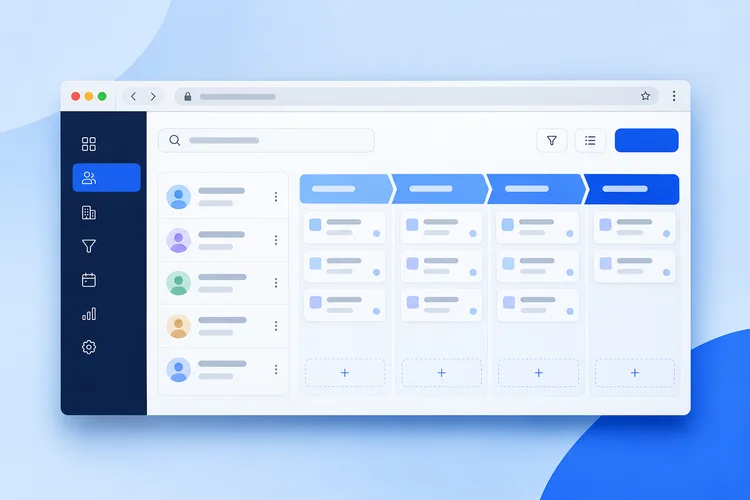
For example, a service business may need to move each enquiry through discovery, a quotation, approval, and delivery. If every handover depends on someone remembering to send a message, documenting that sequence can help you identify what a CRM should manage.
Compare existing tools with a custom build
An existing CRM may already support the way you work. Try a representative workflow before committing. Check whether your team can record a lead, assign an owner, schedule a follow-up, and find the information needed for the next conversation.
A custom platform becomes worth discussing when important steps are difficult to represent, when connections to your existing systems need substantial work, or when the people using it need a simpler interface. Compare configuration options, ongoing subscription costs, development costs, and support responsibilities. A custom build still needs maintenance.
Define the first useful version
Choose one customer journey for the first release. A practical starting point might include a contact record, enquiry status, assigned owner, notes, and the next action date. Include the fields your team actually needs to complete that journey.
Decide what happens when a lead changes owner, a customer has multiple enquiries, or someone leaves the team. Agree how duplicate records will be handled. A small, consistent set of rules is easier to adopt than a long list of features with unclear responsibilities.
Plan permissions and the information you bring across
Decide who can view, edit, export, or remove customer information. Different roles may need different access, especially when records include private notes or commercial details. Include access changes and account removal in the project scope.
Review your existing records before importing them. Identify duplicates, outdated contacts, and inconsistent fields. Keep a recoverable copy of the original data, agree which system is authoritative, and test a sample import before moving the full set.
Make adoption and support part of the project
Ask the people who will use the CRM to try realistic tasks while it is being built. Can they find a customer, update a conversation, and see their next actions without extra explanation? Their feedback can reveal unnecessary fields and missing steps.
Assign someone to manage the platform after launch. Plan updates, backups, support, and how future requests will be prioritised. Review whether follow-ups are easier to track and whether the team is using the system consistently before expanding it.
Bring a workflow to your first conversation
You do not need a complete feature specification to discuss a CRM. Bring an example of an enquiry from first contact to completion, the tools your team currently uses, and the points that cause the most effort.
Forioxx builds customer management platforms and internal tools around business workflows. We can help you define a first version and discuss how it should fit with the rest of your operations.
YOUR NEXT STEP
What would you like to build?
Share your idea and the workflow you want to improve.
Discuss your project →